The developer on the move
You're on a train, on a laptop that has neither the repository nor the project's dependencies. You launch the task from Remotus: it runs on the machine left at the office, in the project's real folder.
Create a task, pick a machine, and let Claude Code work directly in your local environment. Follow logs, tests, diffs and pull requests from one centralized web interface.
No run yet. Wire a task.
No run yet. Wire a task.
Last signal 2h ago. An offline machine can't receive a task.
Drag a cable from a task to a machine, or click both.
backlog to doneYou're on a train, on a laptop that has neither the repository nor the project's dependencies. You launch the task from Remotus: it runs on the machine left at the office, in the project's real folder.
A dev workstation, a build server, a test machine: assign each task to the one that fits, without juggling three SSH terminals.
A twenty-minute refactor no longer needs an open terminal in front of you, nor an SSH session kept alive.
Schedule a task for the night and wake up to the diff, test results and the associated pull request.
Everyone keeps control of their own machines, and the team shares them: your colleagues can run Claude on your machines, and you on theirs, with an unlimited-seat Team plan.
Claude Code normally runs in a local terminal, on the machine holding the Git
repository, the dependencies, the environment variables, CLAUDE.md, the
.claude folder, the MCPs, the plugins and the project's own configuration.
Remotus doesn't move any of that elsewhere: it sends a task to the daemon installed on
that machine, which launches Claude Code right there, in the project's real folder.
The web interface doesn't hold your code. It orchestrates tasks and fetches results — logs, diff, tests, commits, pull requests — while execution stays entirely local.
Create your organization on Remotus. The Free plan is enough to wire up a first machine.
Install claude-control-daemon on every machine that should be able to receive tasks.
Generate a one-time pairing code from the "Machines" page and link the daemon to your account.
Fill in the title, instructions, acceptance criteria and test commands from the project's Kanban board.
Assign the task manually, or let Remotus assign it automatically based on availability. Work directly in the project folder, or in a dedicated git worktree.
Check real-time logs, run status, tests, Git diff, costs and the pull request. An interrupted session can be resumed where it left off.
Prepare a task in advance and set the date and time it should run.
Remotus doesn't recreate your environment in a remote container. It launches Claude Code on the selected machine, in the project's actual folder — with the tools, access and configuration already in place.
Remotus doesn't guarantee that every secret or access present on the machine is automatically secured: Claude Code uses the environment already configured, with its existing access.
The Workspace turns every Claude Code run into an animated character. At a glance: who's working, on what, who's waiting for your reply, who failed, who delegated to whom. Without reading a single log.
Click an agent to open its inspector. Names, files and commands are fictional.
Read, edit, terminal, tests, git, browsing, thinking: every Claude Code tool becomes a gesture, a screen and a bubble. Real work always interrupts the staging.
When an agent spawns a sub-agent, both head to the meeting room: mission, wait, result handoff. The sub-agent wears its parent's color and a headset.
An agent waiting for an approval turns to you and raises a hand. An error is a red ring. A usage limit, a coffee break.
A click opens the real detail: current activity, machine, branch, folder, latest thought, live tokens, cost at the end of the run, diff, sub-agents and history.
With the daemon's hooks, claude sessions launched by hand on a paired machine show up in the office too, next to Remotus runs. Remotus watches them, it doesn't control them.
A floor-plan editor to place furniture and draw zones. A zone can be reserved for a project: its agents settle there, and the board reflects your real Kanban tasks.
Dashboard, Kanban board, runs, run detail, task creation, team. Screenshots from the demo organization: the data is fictional.
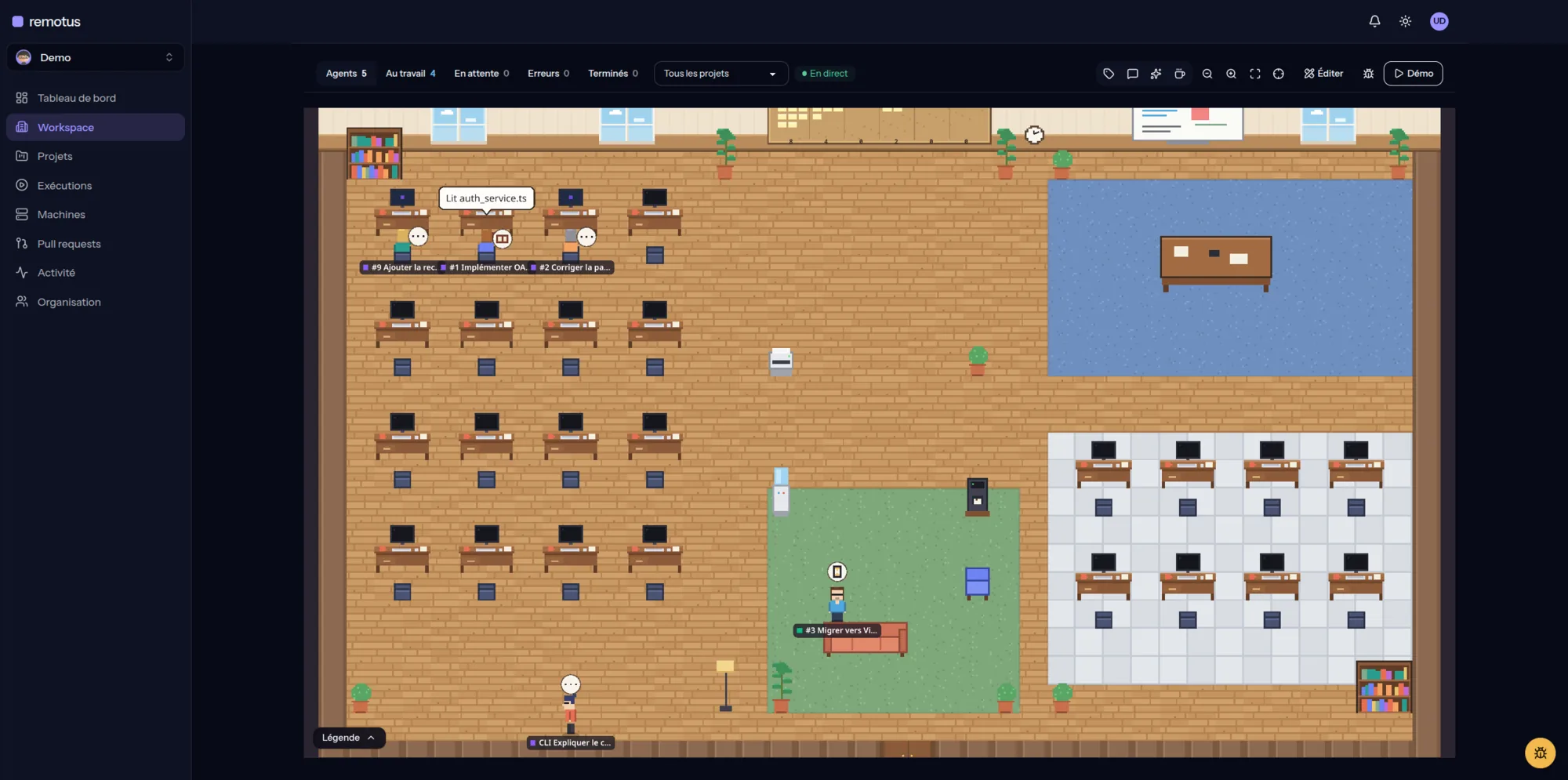
The organization's virtual office: one character per agent, with its activity in a bubble.
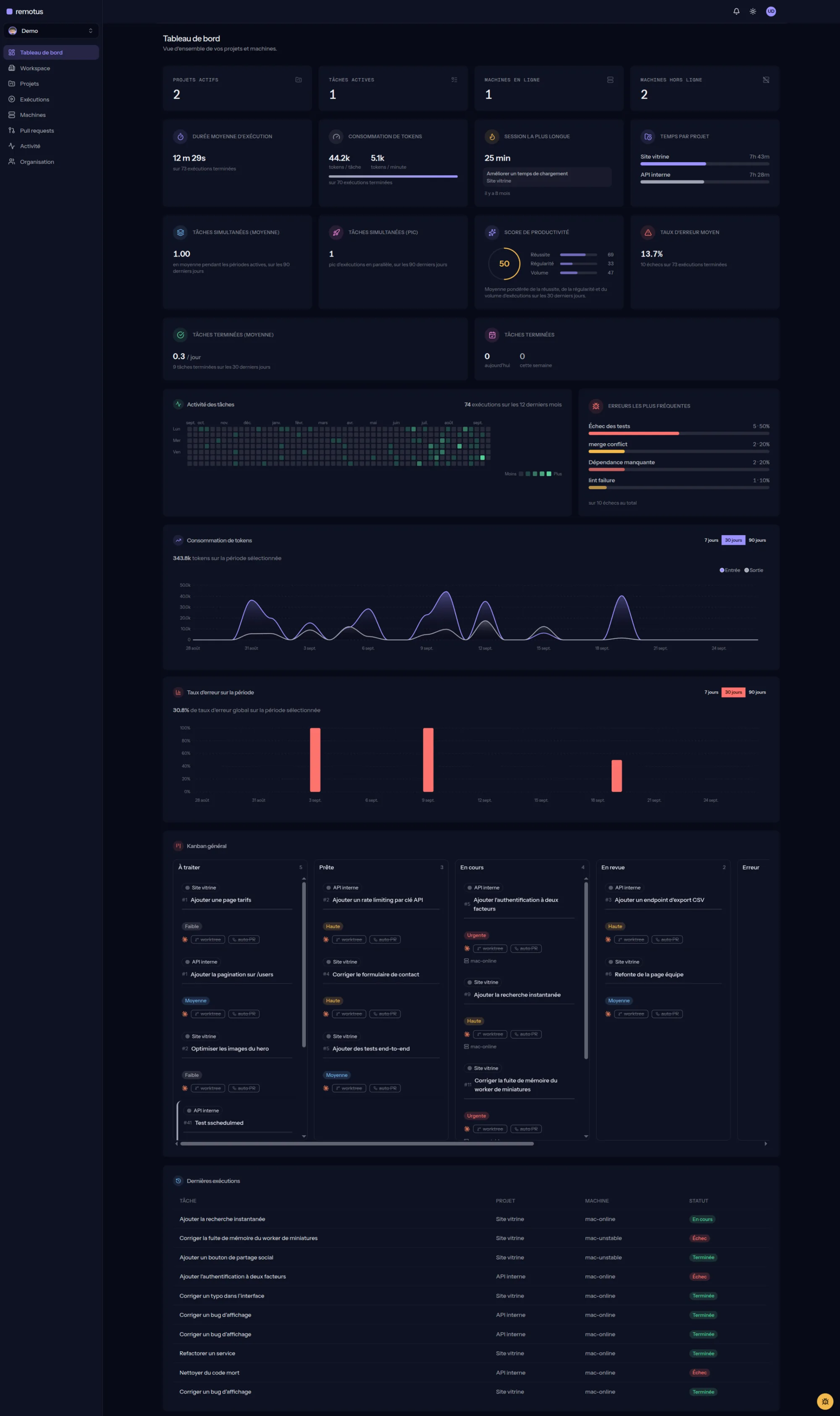
Durations, tokens, error rate, twelve-month activity and latest runs, at a glance.
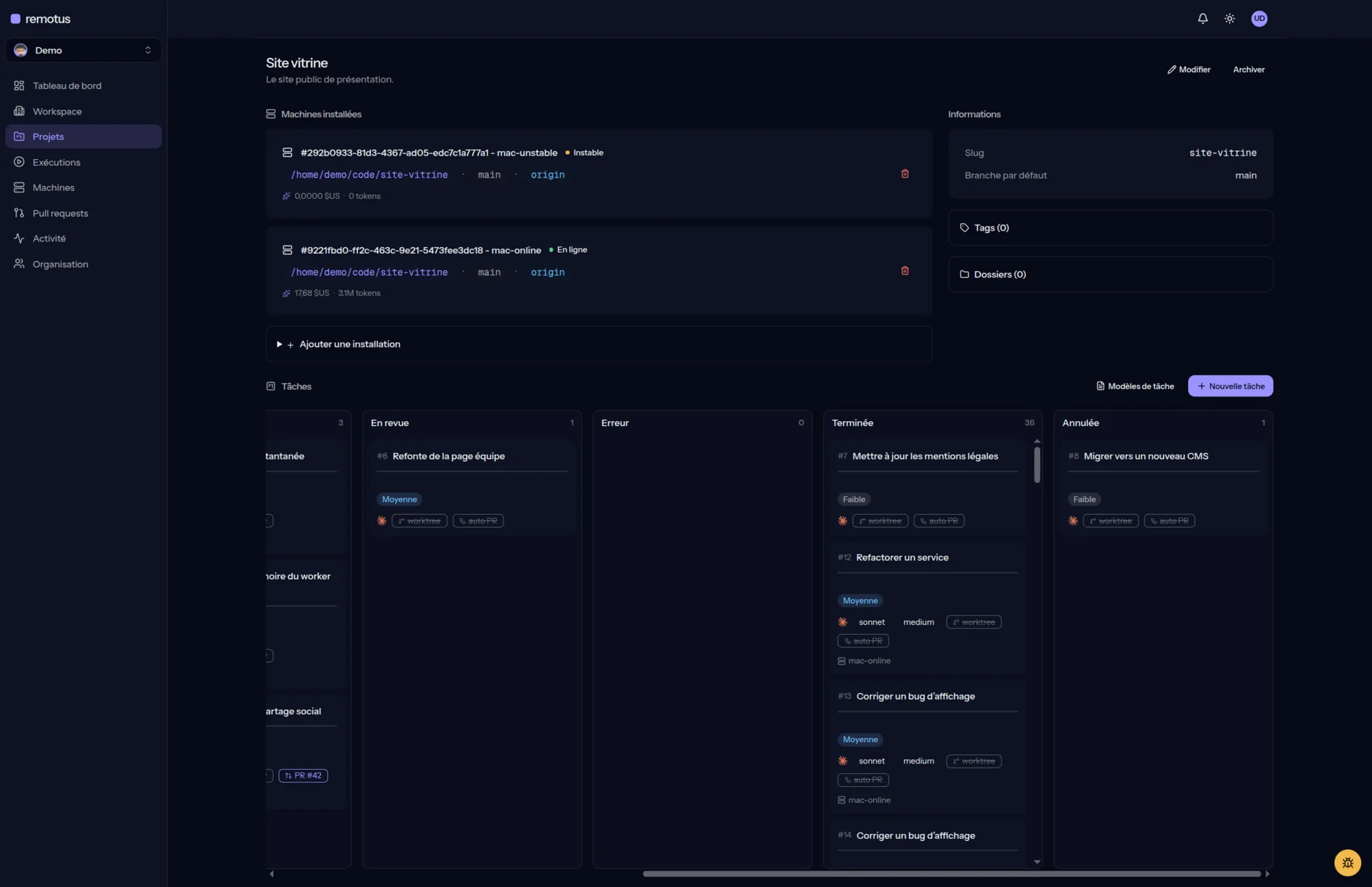
The machines installed on the project and its tasks, column by column.
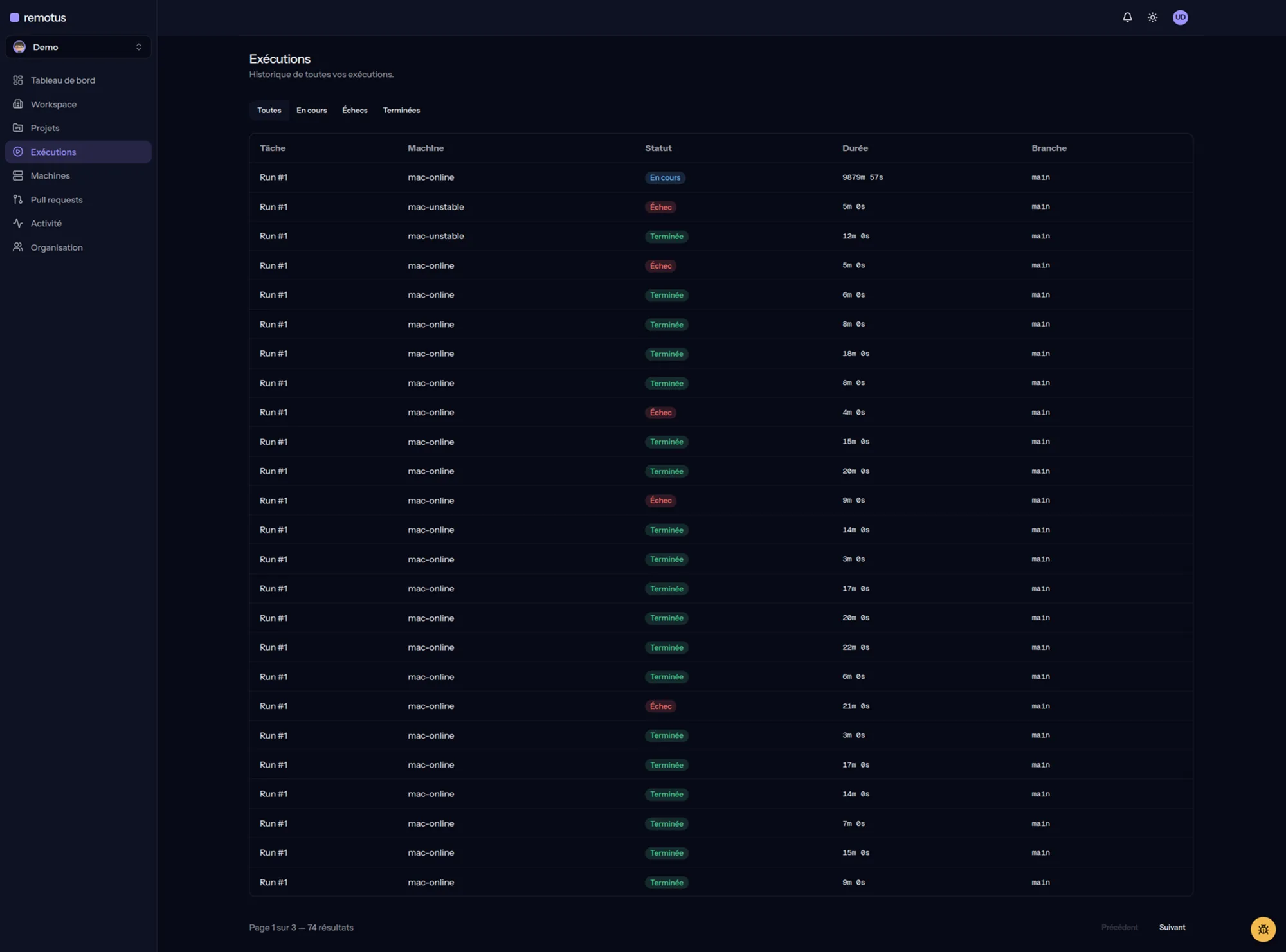
Every run, its machine, its status, its duration. Filter by state.
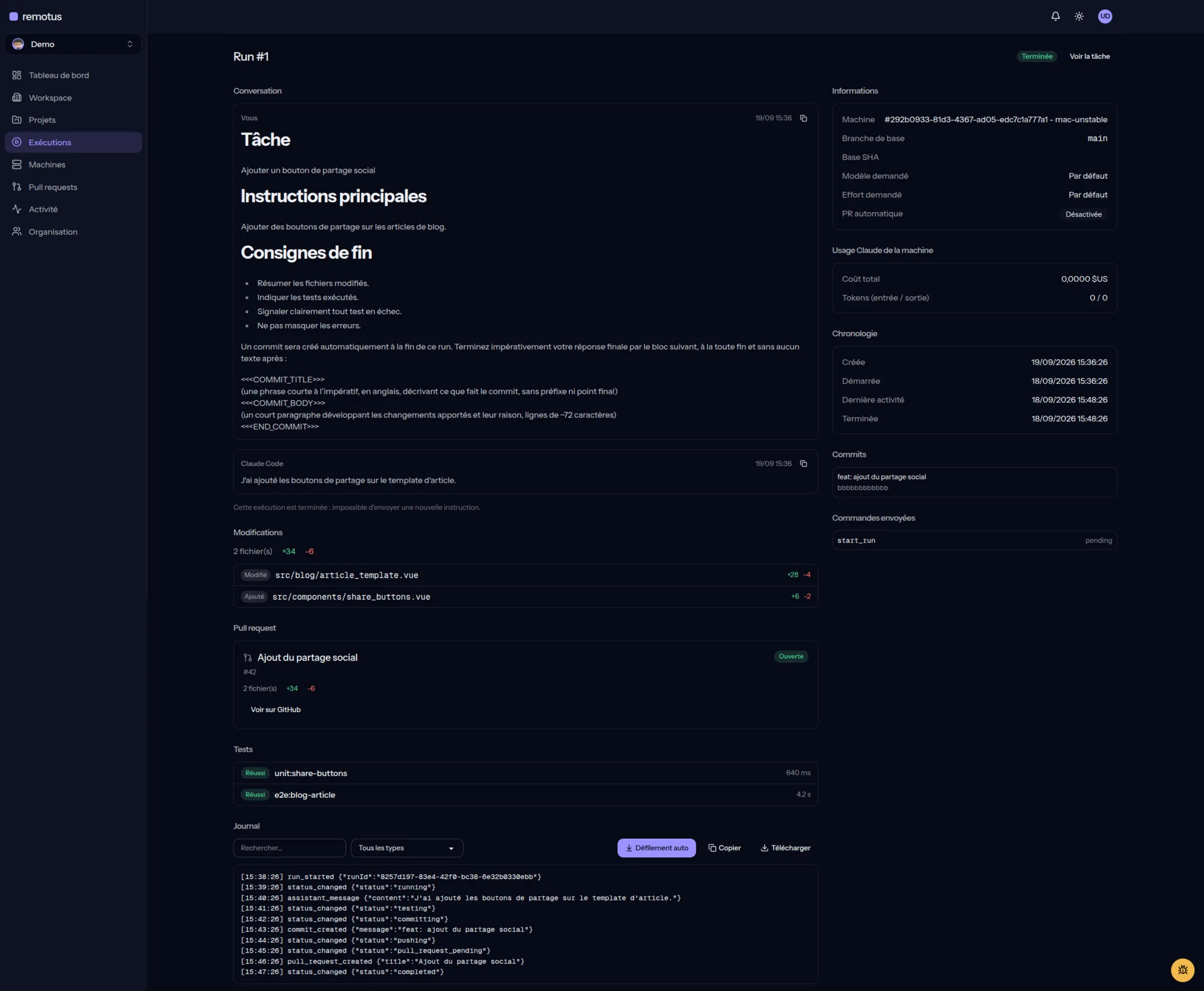
Conversation, changed files, pull request, tests and log, on a single page.
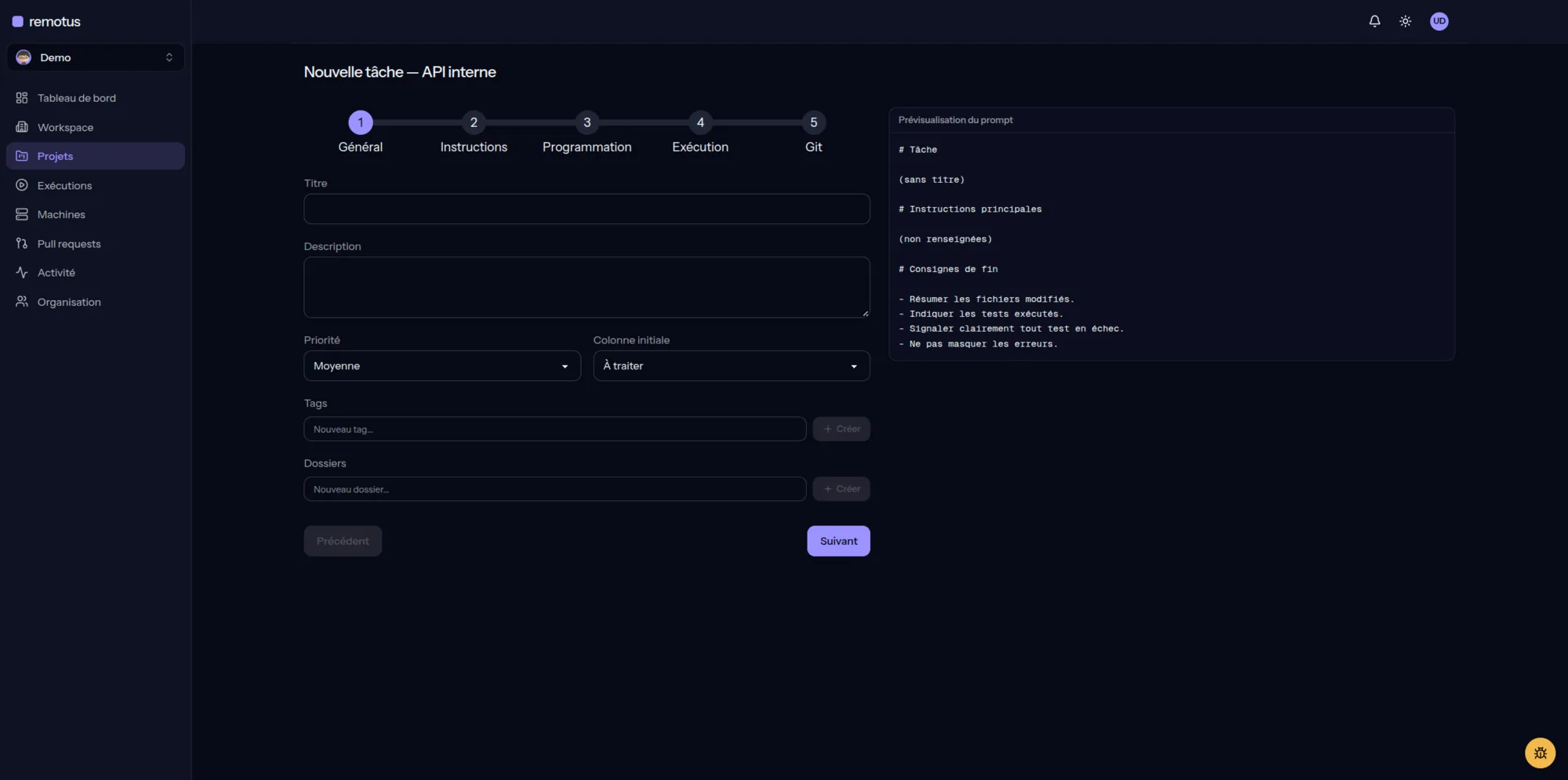
A five-step wizard, with a preview of the prompt before it's sent.
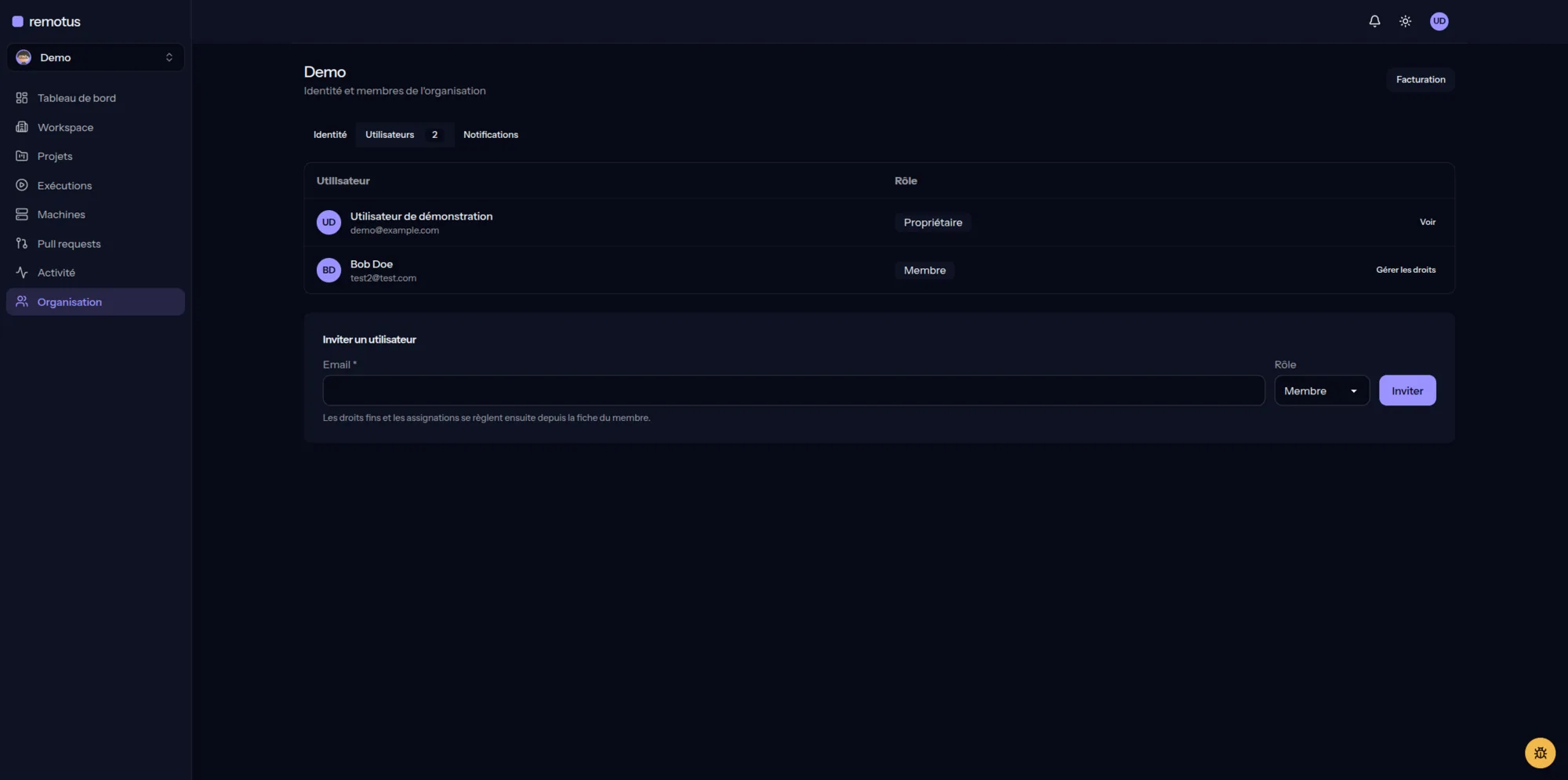
Members, roles and invitations, to share your machines with the team.
Columns backlog, ready, in progress,
review, error, done. Reorderable by
drag-and-drop, directly on the project page.
Follow Claude Code's output as it runs, message by message, without keeping a terminal open.
A pipeline followed end to end, from running the test commands to opening a pull request.
Changed files and patch per run, with secrets automatically detected and masked before storage.
Work in the project folder, or isolate each task in its own worktree to avoid conflicts.
Several machines in parallel, and several tasks per machine — including at the same time on the same repository thanks to worktrees.
Input, output and cache tokens plus estimated cost, per run.
Every launch creates a new run: nothing overwrites the previous one.
Group tasks, runs, machines, diffs and pull requests by project.
Connect several computers to one account, and attach several to the same project.
Online, unstable or offline, recomputed from the last signal received.
Manual, on a specific machine, or automatic based on availability.
Prepare a task in advance and set its execution date and time.
Claude Code runs on your users' machines, commanded from the web interface.
Your colleagues can run your Claude instances on your machines.
Resume a Claude Code session where it stopped, including after a usage limit.
Full activity tracking: runs, machines, projects, usage.
Slack, Telegram or signed webhook, per organization, to be notified without opening the interface.
A virtual office where you see agents working live. See the Workspace
Free, Pro and Team: you pay based on the number of machines, projects and seats. See pricing
One extends an interactive session. The other orchestrates autonomous tasks.
Remote Control answers the logic: "I pick my machine and keep interacting with my session."
Remotus answers the logic: "I drop a task on a board, pick a machine, and later get the logs, tests, diff and pull request."
Three plans, billed per organization. Limits apply to the number of machines, projects and seats, never to the tasks you run.
To wire up a first machine and see if it fits.
€0forever
For a developer splitting work across several machines.
€5per month €50per year · i.e. €4.17 per month
For a team that shares its machines and runs Claude together.
€20per seat, per month €200per seat, per year · i.e. €16.67 per month
Minimum 3 seats.
Choose TeamBeyond your plan's limits, creation is blocked and excess resources become read-only: the oldest ones stay active. Upgrading reactivates everything immediately.
Prices are tax-included (€), VAT and invoices handled by Lemon Squeezy. The organization owner changes plan, updates their payment method or cancels from Organization → Billing.
Remotus can also run on your own infrastructure, with none of these limits, for personal or internal organizational use. See the FAQ.
Remotus doesn't transfer your repository to a proprietary execution infrastructure. Claude Code runs directly on the machine you connected.
User session for the web app, dedicated token for each machine — the two mechanisms never substitute for one another.
A single-use, time-limited pairing code links a daemon to your account.
Only the token's hash is kept; its plaintext value is visible only at the moment it's created.
A lost or compromised machine can be revoked from the interface.
User, machine and system actions are recorded in an activity log.
The permission mode of a task is chosen by you; the daemon operator keeps the ability to force a stricter mode locally.
Claude Code runs on your machines, with their access: protect them like any machine that runs code autonomously.
Remotus runs Claude Code directly on the connected machine. The project stays in its local folder. Claude Code's own communications still depend on the configuration and services it uses, though.
No. Claude Code runs in the machine's usual environment and uses the local configuration already in place.
Yes, Remotus is designed to show several machines and assign a task to a specific machine.
Yes, depending on the number of connected machines and the concurrency limits configured on each daemon.
Yes. Every task can run directly in the project folder, or in a dedicated git worktree — which lets you run several tasks in parallel on the same repository without them stepping on each other.
Yes, team management lets your colleagues run your Claude instances on your machines, from the Remotus interface.
Yes. Remotus keeps the Claude Code session id and can resume it, including when a run was stopped by a usage limit.
A page in the app that represents your agents in an animated office: every Claude
Code run is a character, who reads, edits, runs tests, waits for your reply or
delegates to a sub-agent in the meeting room. claude sessions launched by
hand on a paired machine show up there too, once the daemon's hooks are installed.
No. Only a short resource (file name, command, URL, query) is broadcast for the bubble and the inspector, after secrets are masked and the text truncated. Neither file contents, tool output, nor the full prompt are ever broadcast in the Workspace.
Yes, Remotus lets you prepare a task and set it to run later.
Not necessarily. Remote Control is suited to resuming an interactive session. Remotus is designed to orchestrate and track autonomous tasks.
The Free plan is free: one user, one machine, two projects and seven days of history. The Pro (€5 per month) and Team (€20 per seat per month) plans lift these limits. See the pricing details.
Creating an extra machine, project or member is blocked with a message telling you which plan lifts the limit. Resources beyond the plan become read-only (the oldest ones stay active) and history beyond the retention window is masked. Nothing is deleted: a plan change reactivates everything. A run already in progress can still finish.
The subscription is attached to the organization. Payment goes through Lemon Squeezy, which handles VAT and invoices; prices shown are tax-included euros, monthly or yearly. The organization owner changes plan, updates their payment method or cancels from the Billing page. With Team, the seat count follows the member count, with a minimum of three.
Yes. Remotus can run on your own infrastructure, for free and with no limit on machines, projects, members or history, for personal or internal organizational use. The code remains Remotus's property: the license forbids reselling your instance or offering it as a hosted service to third parties outside your organization.
Connect your machines, assign a task and let Claude Code work in the environment where your project is already set up.